Apr 21st, 2026
Digital vs. Flexographic Label Printing: Which Is Right for Your Order?
When you order custom labels, the printing method used to produce them matters — not just for cost, but for quality, lead time, and how well the finished label serves your brand.
The two most common methods for professional label production are digital printing and flexographic printing, and they each have distinct strengths.
Understanding the differences will help you have a more informed conversation with your label supplier — and make sure you're getting the best result for your specific situation.
How Digital Label Printing Works
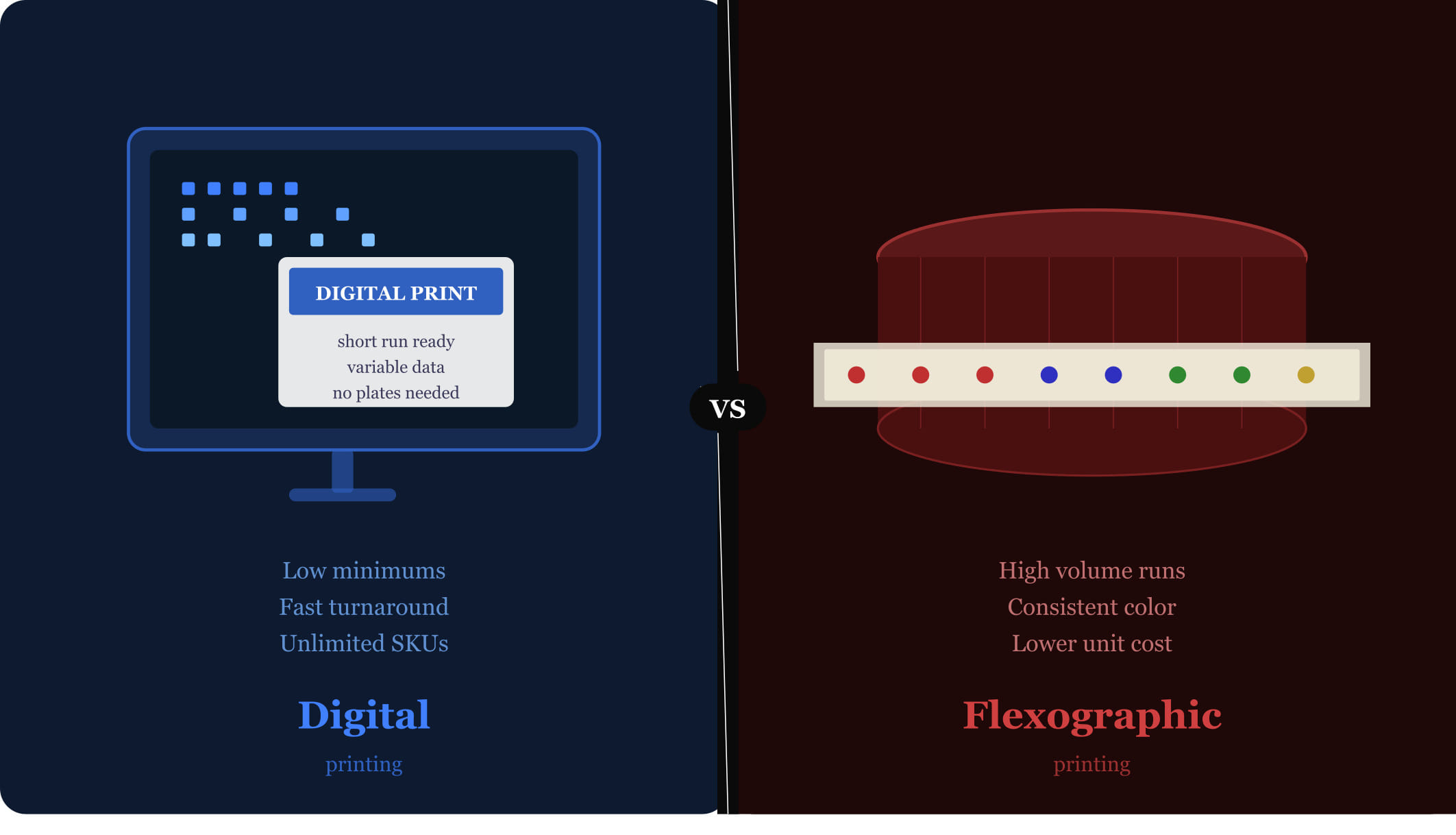
Digital label printing works similarly to a high-quality inkjet or laser printer, but at a professional scale. Artwork is sent directly to the press as a digital file, and the press lays down ink (or toner) directly onto the label stock. There are no printing plates and no mechanical setup steps between your file and the finished label.
This makes digital printing exceptionally fast to set up and highly flexible. Each label in a run can technically be different — which is why digital printing is the standard for variable data printing, where things like serial numbers, names, or batch codes change from label to label.
How Flexographic Printing Works
Flexographic printing — commonly called flexo — is a high-speed, high-volume printing method that uses custom printing plates, one per color, to transfer ink onto the label material. The plates are created from your artwork at the start of the job and are then used to stamp ink onto the substrate as it runs through the press at high speed.
Because plates need to be made before printing can begin, flexo involves a meaningful setup cost and lead time upfront. But once the press is running, it can produce labels at very high speeds and very low per-unit costs — which is why it's the method of choice for large production runs.
When Digital Printing Is the Better Choice
Digital printing is the right call in most of the following situations:
Short runs: If you need fewer than roughly 5,000–10,000 labels, digital printing will almost always be more cost-effective because there are no plate costs to amortize.
Quick turnaround: Digital jobs typically move from approved artwork to shipped labels in a matter of days, compared to a week or more for flexo.
Multiple SKUs: If you have several product variants that each need a relatively small quantity of labels, digital allows you to print them all in a single efficient run.
Frequent design changes: Brands that update their labels seasonally or regularly benefit from digital's ability to switch designs with no additional setup cost.
Variable data: Serial numbers, QR codes, batch codes, or personalized names on individual labels require digital printing.
When Flexographic Printing Is the Better Choice
Flexographic printing becomes increasingly attractive as volume goes up:
Large runs: For high volumes — typically above 10,000–25,000 labels — the per-unit cost of flexo is significantly lower than digital, and the plate costs become a small fraction of the total job.
Precise color matching: Flexo uses spot inks (including Pantone colors), which can be matched to brand standards with a high degree of consistency and accuracy across very large runs.
Specialty inks and finishes: Metallic inks, UV coatings, and other specialty effects are often more cost-effective and consistent in flexo.
Stable, high-volume products: If you have a flagship product that sells consistently in large quantities and the label design changes infrequently, flexo's economics are hard to beat.
The Hybrid Approach
Many brands use both methods at different stages of their lifecycle. A brand launching a new product might start with digital printing for initial inventory — keeping costs low while the product finds its market — then transition to flexo as volume scales and the label design stabilizes.
Some label suppliers also offer combination runs that use digital printing for the majority of the label while incorporating flexo-printed elements (like a metallic base layer) for visual effects that are difficult or expensive to achieve with digital alone.
A Quick Decision Framework
If you're unsure which method is right for your current order, start with two questions: How many labels do I need? and How often will the design change? If the quantity is in the thousands and the design is stable, it's worth getting a flexo quote. If you need a few hundred to a few thousand labels, or if flexibility matters more than rock-bottom per-unit cost, digital is almost certainly the better fit.
Cover Label offers both digital and flexographic printing to match any order size, timeline, or budget. Tell us about your project and we'll recommend the right approach — and the most competitive pricing — for your specific needs. Get started at coverlabel.com.
CONTACT US
Get in Touch
Have questions or ready to get started? Our team is here to provide expert guidance and premium label solutions tailored to your needs. Fill out the form below, and we’ll be in touch shortly to discuss your project.